
If you’re working with a WordPress website, it’s likely that at some point you’ll want to reorder the posts that you put on a specific page. Whether you need to reverse their order wholesale or just want to tweak the positioning on a single post, getting the job done in WordPress is easy with the right plugin. For our purposes, we’ll be working with the Post Types Order plugin, developed by Nsp Code.
Let’s start with the basics: What is a plugin?
In the context of WordPress and general computing, a plugin is a piece of software that adds a specific feature or additional functions to your website. There are thousands available for WordPress, offering a wide range of functionality that can be added to websites without any coding knowledge. This drastically increases the elasticity of WordPress websites, even for the most basic of users.
For our purposes, we’ll discuss a very simple plugin that will make reordering posts a snap.
What does the Post Types Order plugin do?
This plugin allows WordPress users to reorder their posts by simply dragging and dropping them into a desired order. Posts can still be reordered by date without the plugin, but if you’re ready to do some serious re-arranging or often find yourself re-ordering posts, it pays to add this easy-to-use plugin to your site.
How do I get started adding the plugin?

On your WordPress dashboard, you'll see the Install Plugins interface in the left menu. Click the "Add New" option. This will open up the Add Plugins page.
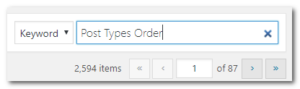 At the top right corner you’ll see the “Search Plugins” search bar. Though you can download a zip file of the plugin and upload it yourself, it’s easier to simply enter the name of the plugin that you’re looking for and adding it from this interface. In our case, we’re looking for a specific post reordering plugin called Post Types Order. You can also enter keywords for the functionality you’re looking for and find a variety of available plugins by different WordPress developers. For instance, the Post Types Order plugin appears with similar reordering plugins in the results when I use search terms and phrases like “Reorder Posts” or “Arrange Posts.”
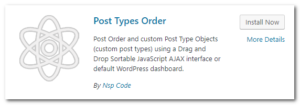 Once you have your results, find the plugin you’re looking for and hit the “Install Now” button, followed by the “Activate” button.
This will automatically add the plugin to your site code and activate it for immediate use. No coding experience required!
Now when you access your Posts screen, you’ll be able to hover over individual posts to activate a drag-and-drop function that allows you to quickly and easily reorder individual posts.
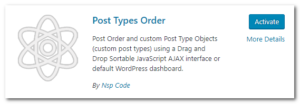
That’s all there is to it! Now you can move one post to a different location or reorder every post on your site quickly and intuitively.
Want to learn more about available plugins for your WordPress site? Read more about what’s offered in the world of WordPress plugins from WPBeginner and add custom functionality to your site with the touch of a button. Need a hand? Provident Technology is here to help with the ins and outs of plugins, WordPress development, and beyond. Get in touch today!
You must be logged in to post a comment.